
Features
Everything HVAC Bridge checks before an invoice reaches QuickBooks.
Your field service app and QuickBooks each hold a version of the same invoice. HVAC Bridge compares them line by line, keeps checking after export, and only sends what you have reviewed.
14-day free trial of Team features. No credit card required.
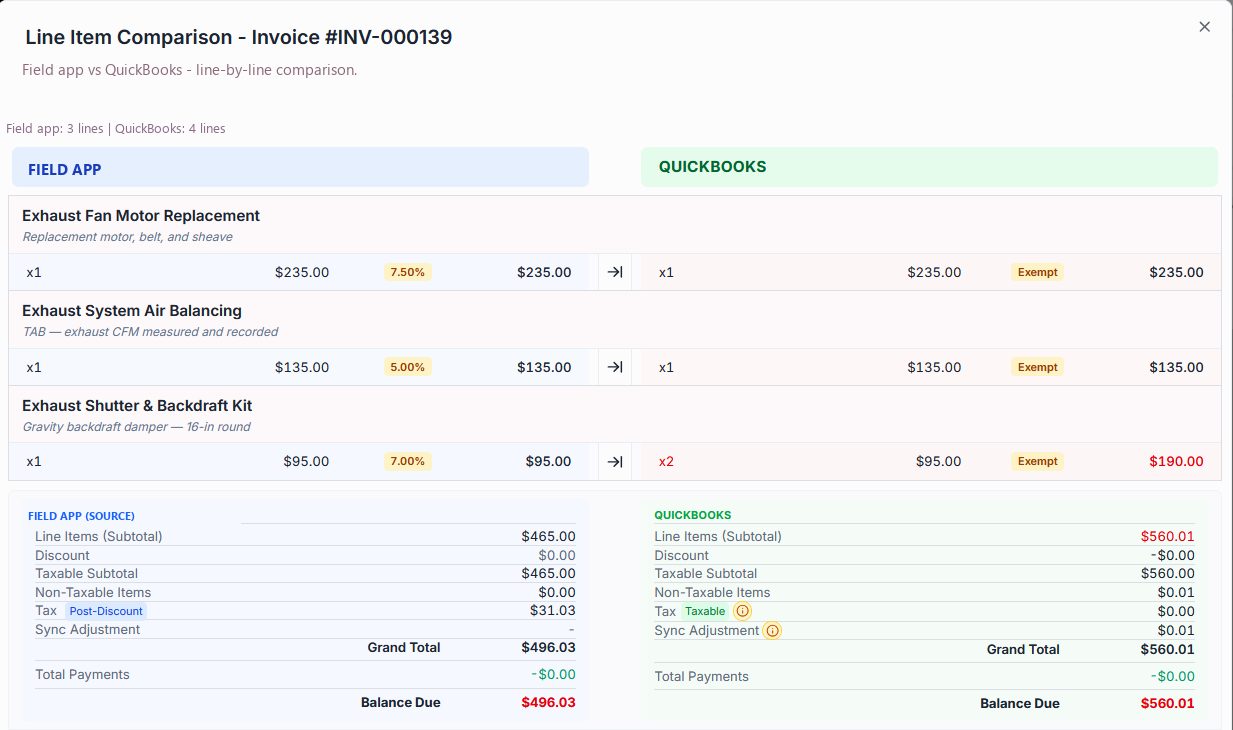
Line-by-line comparison
Your field app and QuickBooks disagree.
Every invoice is shown next to the QuickBooks copy — header fields, each line, and the totals underneath. The rows that differ are marked, so you are reading a named list instead of hunting for the number that moved.
- Header, line items and totals compared side by side
- Only the fields that drift are flagged
- Send a corrected value to QuickBooks from the row it is on
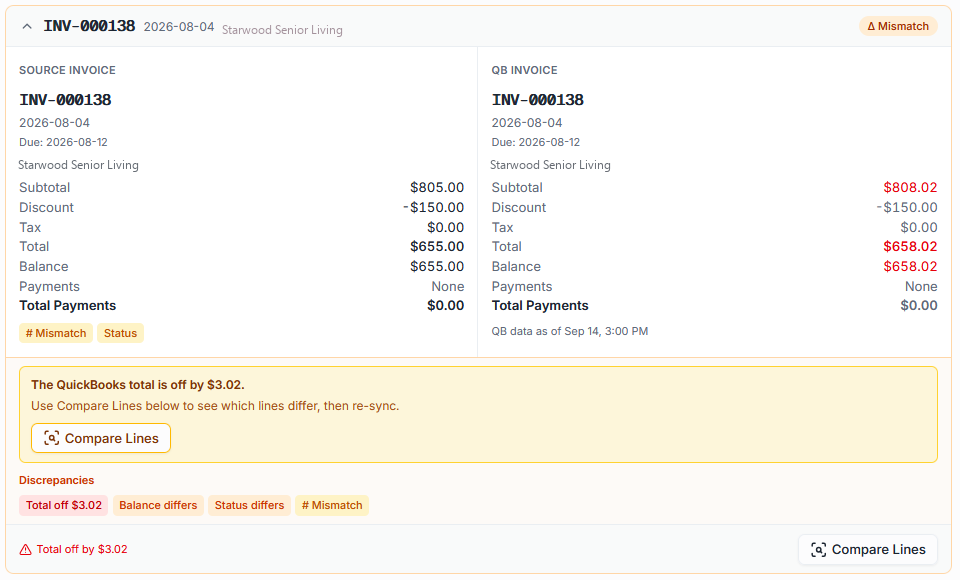
Invoice & payment audit
Does QuickBooks still match your field app?
Posted is not the same as right. After an invoice is in QuickBooks, HVAC Bridge keeps checking it: every invoice matched one to one, every payment compared, and anything off named with the amount it is off by.
- Invoices matched one to one against QuickBooks
- Payments compared, with the gap in dollars
- Verified after export, not only before
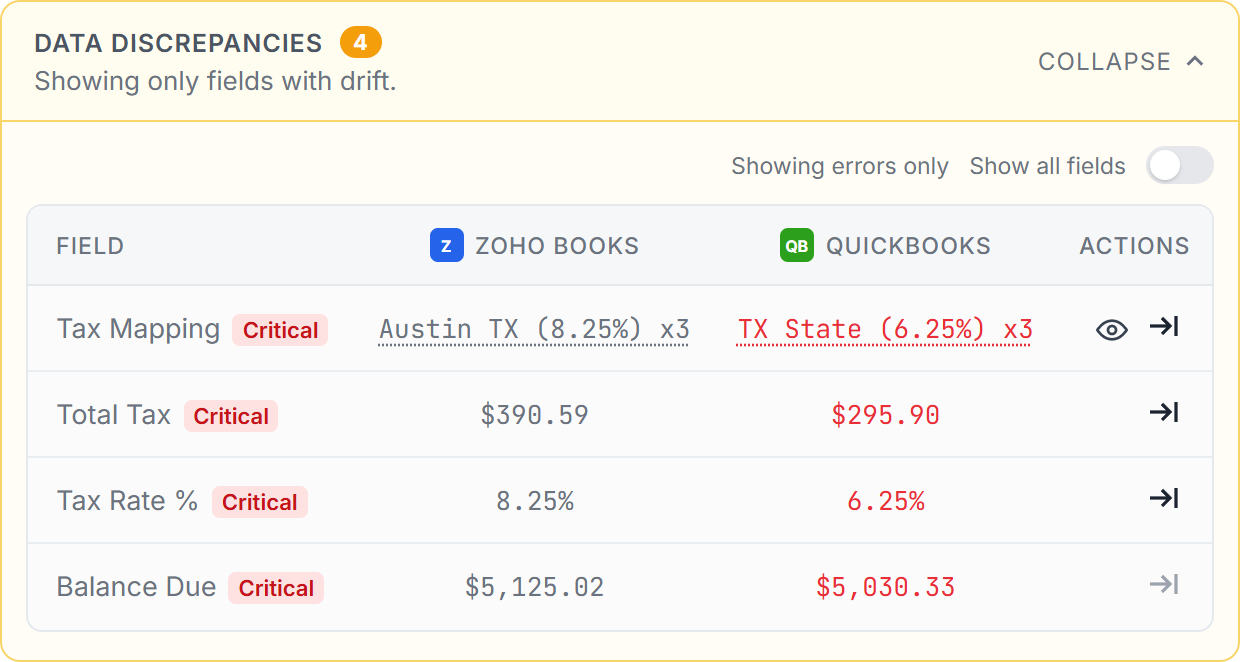
Sales tax
Your tax says $116. QuickBooks says $0.
Tax is checked on every invoice — the total, the rate, and the tax code on each line — so a dropped or recalculated tax shows up before it reaches your books, not at quarter end.
- Every tax field that disagrees, named
- The tax code on each line, in both apps
- Send the source tax to QuickBooks when it is the one that is right
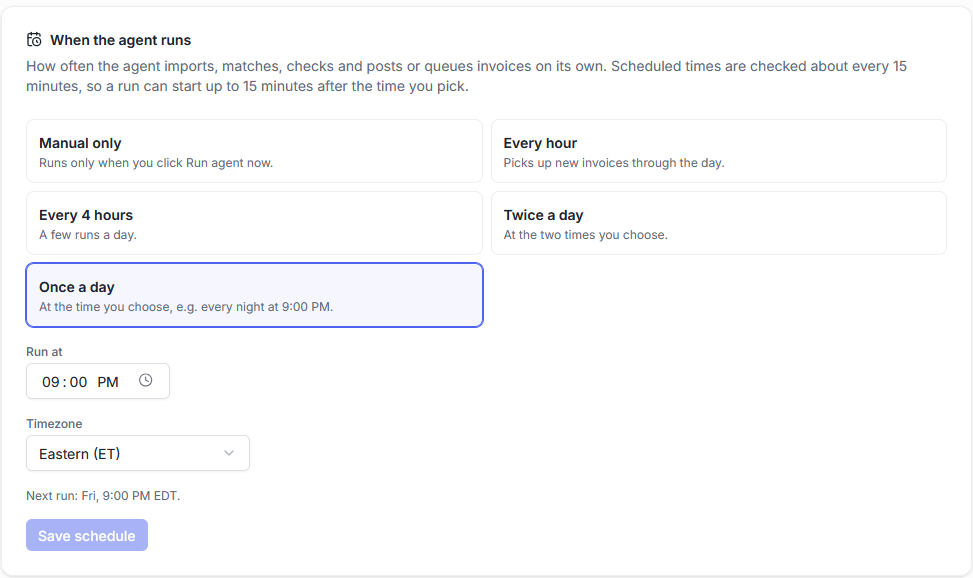
Automation agent
Your invoices into QuickBooks, checked, on your schedule.
On the schedule you choose, the agent imports new invoices, matches their customers, items and tax to QuickBooks, checks them, and queues what is ready. Nothing posts without your approval until you decide otherwise.
- Runs hourly, daily at a time you pick, or only when you ask
- Matching rules decide what links on its own and what waits for you
- Every run reports what it did, invoice by invoice
Works with your field service app
Your app on one side, QuickBooks Online on the other.
How it compares
vs. built-in sync
What a one-click sync does with an invoice it cannot map, and what happens to it here instead.
vs. typing it in
The same invoice entered by hand, next to the same invoice reviewed and sent.
For bookkeepers
Several clients, one queue, and a record of what was sent and when.
See it on real invoices
A walk-through of the comparison, the audit and the agent on live data.
See it on your own invoices.
Connect your field service app and QuickBooks, import a few invoices, and look at what does not line up.
14-day free trial of Team features. No credit card required.