
Housecall Pro + QuickBooks Online, reviewed line by line before export.
- Import Housecall Pro invoices into one review workspace.
- See totals, balances, taxes, and mappings — and fix the draft before anything posts.
- After export, HVAC Bridge verifies what QuickBooks actually recorded matches what you approved.
14-day free trial of Team features. No credit card required.
Sound familiar?
Housecall Pro and QuickBooks should tell the same story.
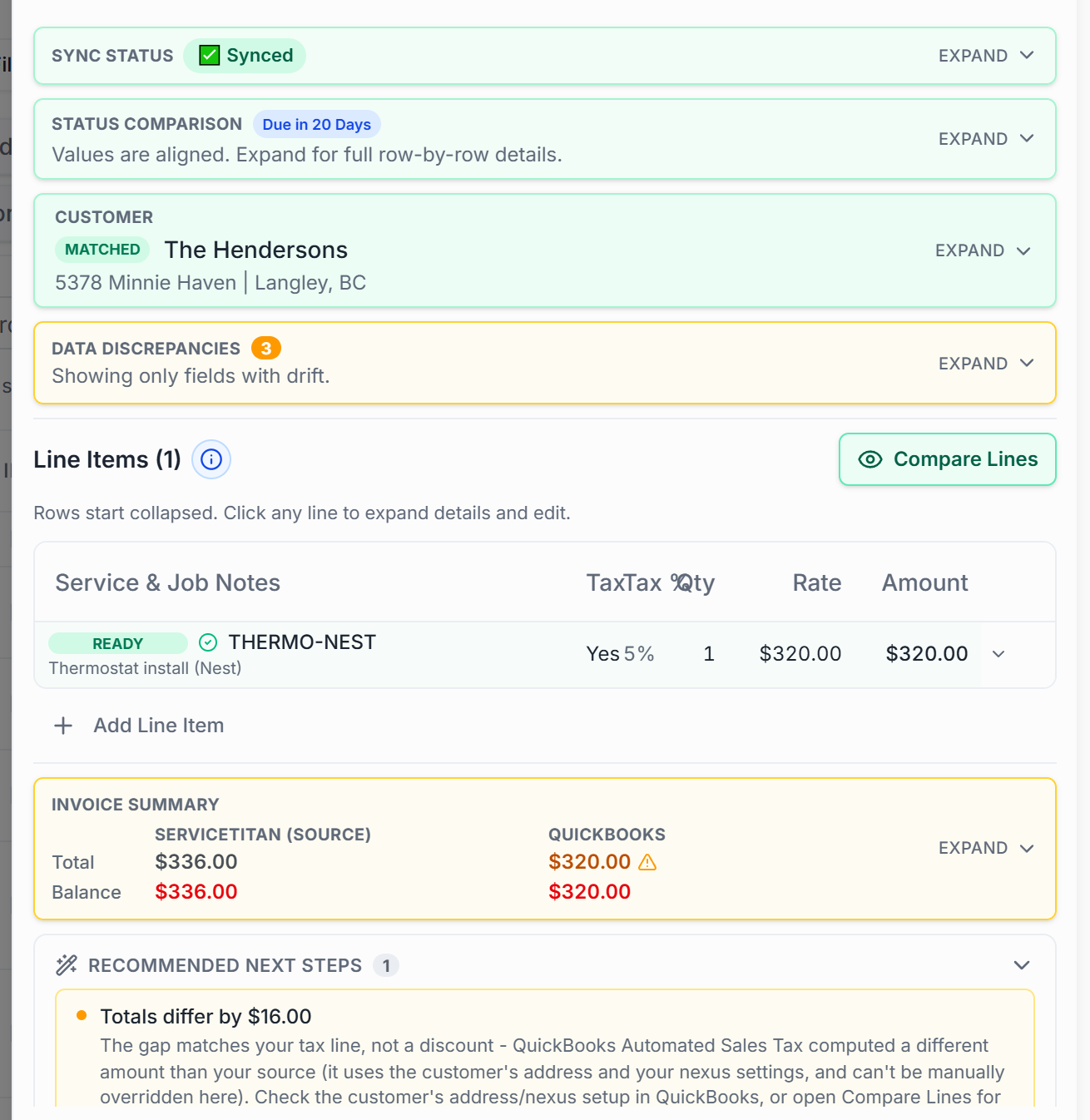
A field-service invoice can look finished while the accounting behind it is incomplete or mapped differently. That gap is where month-end cleanup comes from.
- A job can be done and paid in Housecall Pro while QuickBooks still shows a different total, tax, or balance.
- Payments recorded in the field don't always line up with what your books say was collected.
- Re-keying invoices into QuickBooks means every field is another chance for the two systems to disagree.
How it works
A checkpoint between Housecall Pro and your books.
Connect Housecall Pro
Paste your Housecall Pro API key — we validate it against your account with a live call before it's saved.
Review & audit
Every invoice lands as a draft with named checks against what QuickBooks has. Fix the lines, mappings, and taxes that need it.
Export & verify
Export the approved version — then HVAC Bridge compares what QuickBooks actually recorded against what you approved, and flags any gap.
Line by line
Every invoice, against a named list — not a vibe.
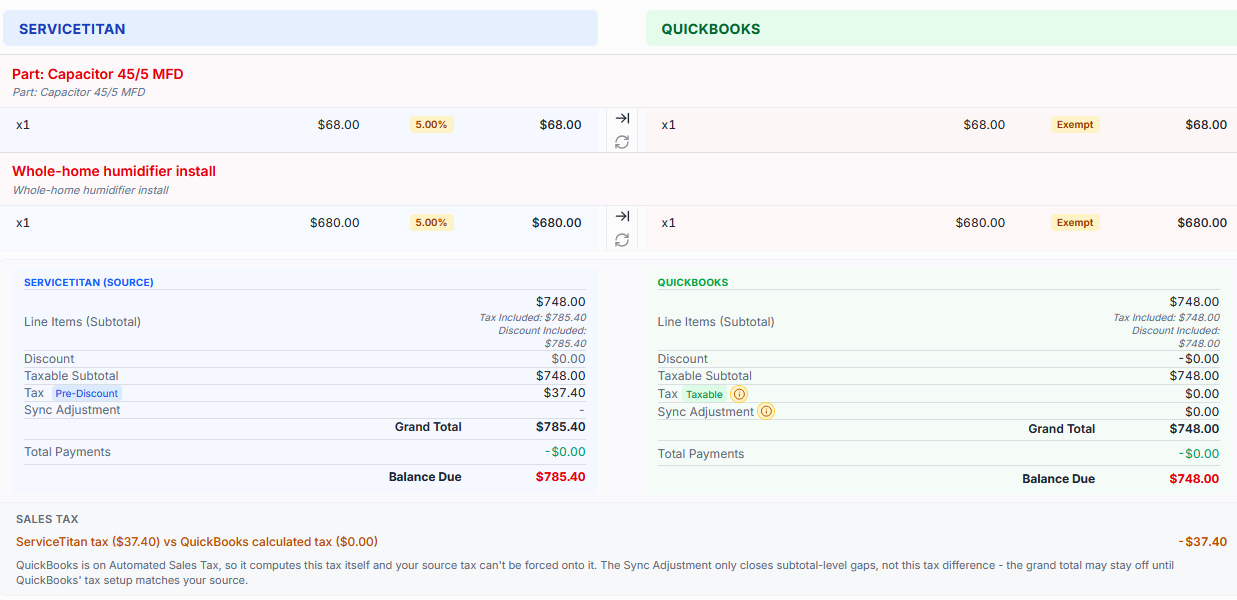
Each imported invoice is compared against what QuickBooks has, check by check, with the disagreeing value shown in red:
- Totals
- Balance
- Tax mapping
- Customer match
- Invoice number
- Due date
- Payment gap
- Billing status
- Pending edits
What's included
The Housecall Pro connection, specifically.
Connectors differ — this is what this one does. No feature listed here is shared marketing copy; each maps to the Housecall Pro integration as built.
- Invoice import from Housecall Pro
- Customer matching
- Item matching
- Per-line tax review
- Technician capture
- Payment records from Housecall Pro
- USD & CAD invoices
- Draft editing before export
- Named audit checks on every invoice
- QuickBooks export with post-export verification
- Status & payment write-back to Housecall Pro
- Daily scheduled import (Team)
Mappings
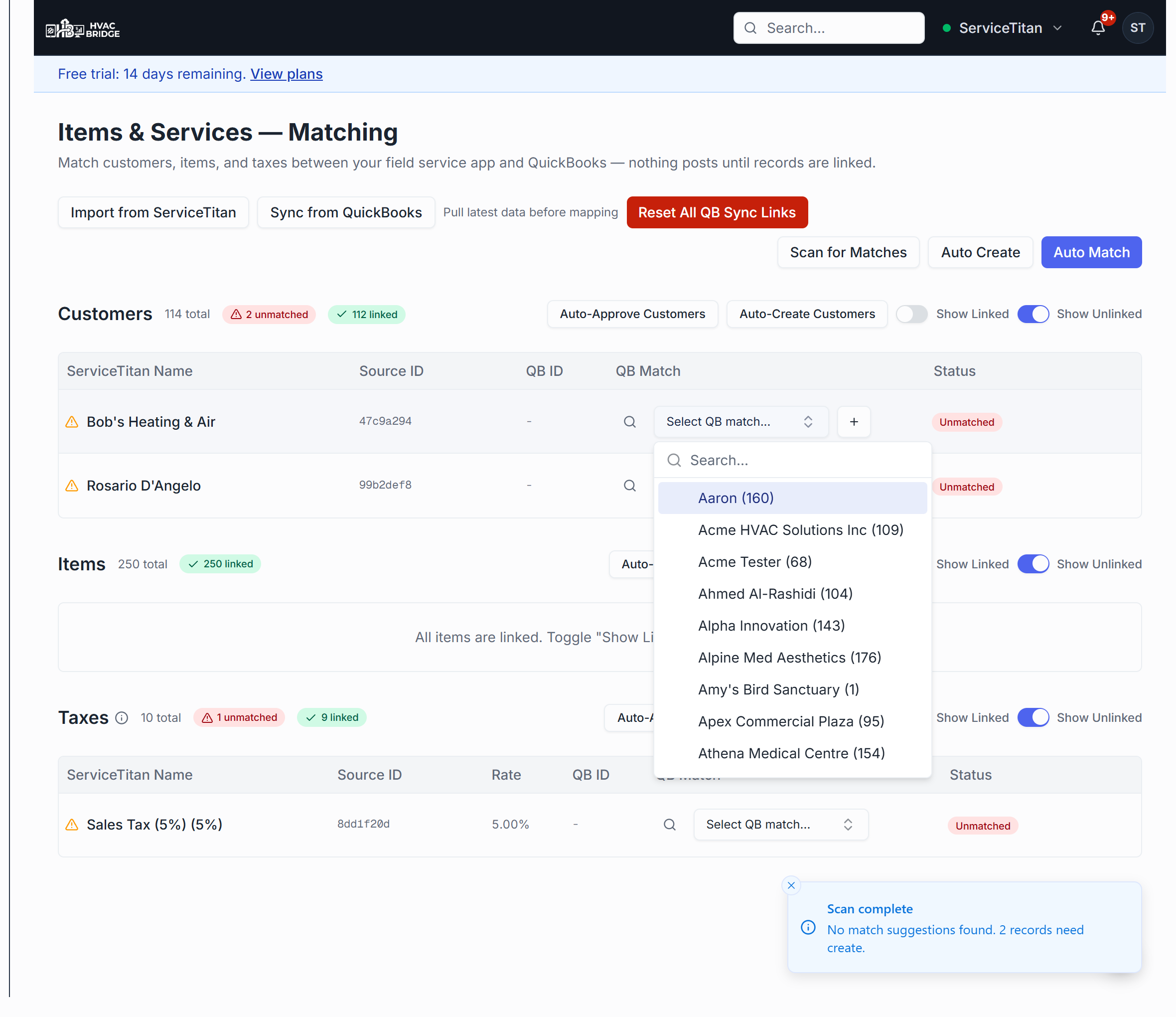
Mappings become visible work, not hidden assumptions.
Every customer, item, and tax behind an export is linked to a QuickBooks record you can see. Unmatched records are flagged, and nothing posts until they're resolved — by you, or in bulk.
A direct export moves data. That's not the whole job.
Sending an invoice straight from Housecall Pro to QuickBooks gives you no checkpoint in between: no side-by-side review, no discrepancy flags, no draft to correct, and no verification of what QuickBooks actually recorded. HVAC Bridge is that checkpoint — audit, fix, approve, export, verify.
Plans
Start manual. Automate when you're ready.
Solo
$49/moYou trigger every import and export. Full review workspace, matching, draft editing, and post-export verification.
Team
$99/moAdds daily scheduled import, audit mode, and automatic posting — which is earned, not assumed: it unlocks after your first successful manual exports, and approval stays the default.
14-day free trial of Team features. No credit card required.
Questions
Does Housecall Pro integrate with QuickBooks Online?
Yes — HVAC Bridge imports Housecall Pro invoices with their line items, taxes, technicians, and payment records, lets you review each one, and exports the approved version to QuickBooks Online with a post-export verification.
Where do payments come from?
From Housecall Pro's own payment records on each invoice — actual payments with method and date, not an inferred number. Payment gaps between the two systems are one of the named checks on every invoice.
Does it handle Canadian accounts?
Yes — invoice currency (USD or CAD) is resolved per invoice, and Canadian tax handling is supported through the tax-mapping review.
What does it cost?
Solo is $49/mo and Team is $99/mo. Every new account starts with a 14-day free trial of Team features — no credit card required.
Also built for the rest of your stack — one review path across all of them.
Put a checkpoint between Housecall Pro and QuickBooks.
Import your invoices, see the mismatches side by side, and export only what you've reviewed.
14-day free trial of Team features. No credit card required.